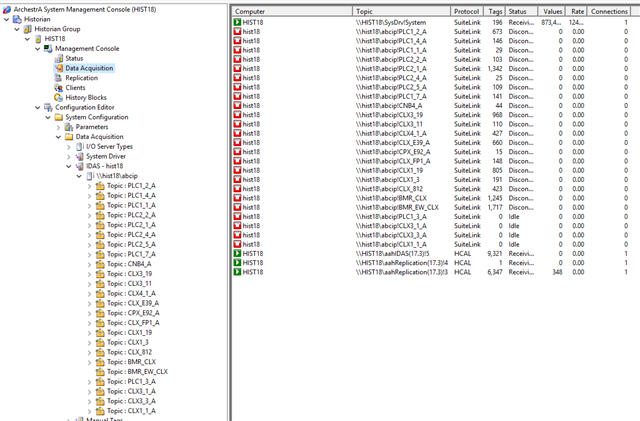
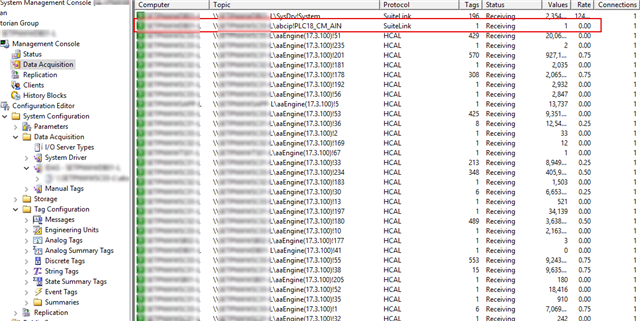
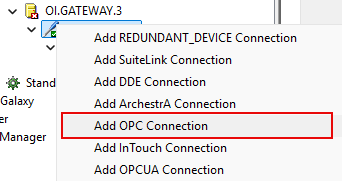
Hi, keep in mind that a Historian connection uses both application name (abcip) and a topic (device group name) to identify the connection to the PLC.
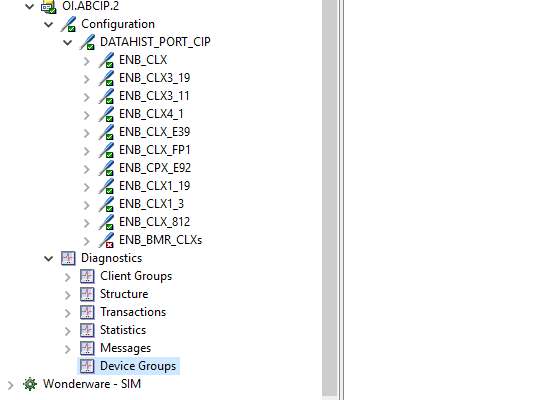
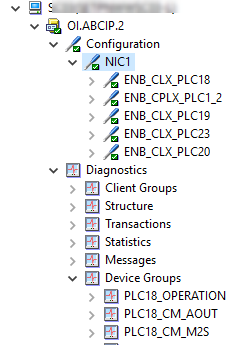
In my (live) example above there is also the .2 and that should not cause any issue in Historian as long as you do not have multiple instances running as pointed out by Elliott, but your screenshot does seem to have any nodes under Diagnostics / Device Groups. This indicates that the server does not have any active clients registered correctly, it could be due to multiple issues, but I would start by reviewing the Log Viewer to se if any errors give an indication on what is going on. Look for device group / topic errors or even Suitlink encryption errors.
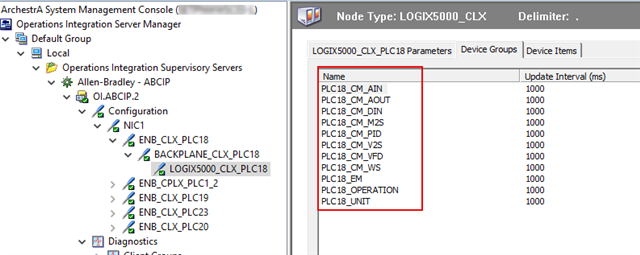
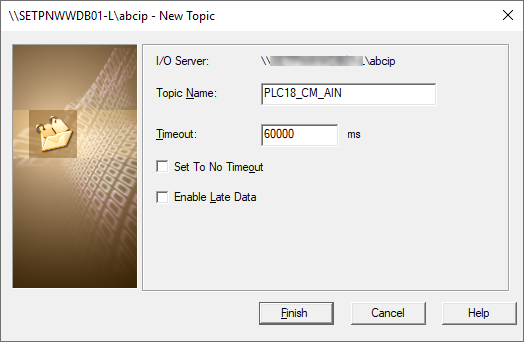
To follow up my first comment in this post, the topic used in historian, needs to be the same as in the OI Server Device Groups tab.
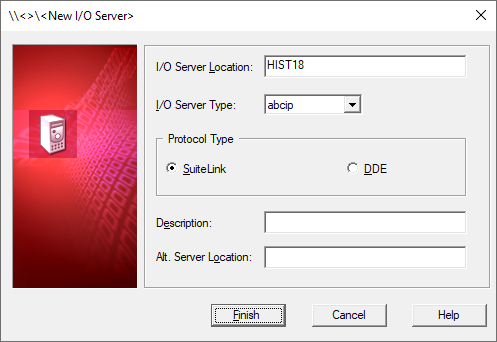
Also make sure that you have not selected DDE as Protocol type in your config :)
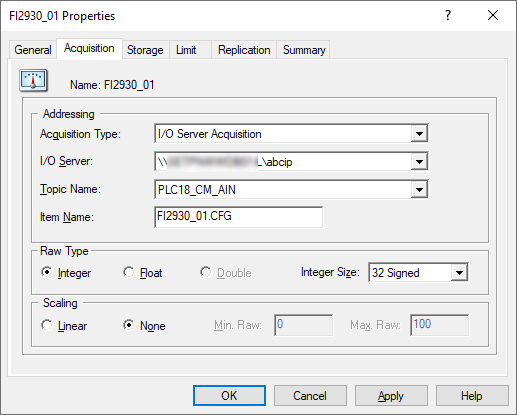
Verify Device Group Names for your PLC and make sure you use the same in Topic config
ensure that your tag is using the configuration
After committing the changes, it should establish connection.
How does this work for a Gateway OI server where you cannot configure device groups? I tried <Node>.<group> for the topic but that does not seem to work I also tried just the Group name for the topic and that does not work either
Hi Tony, To access data through OI Gateway you use the <Name>_<Group>
witch is a combination of OPC Connection Name and OPC Group Connection, AKA 'Device Group Name'
That should be enough to set up the connection, when it comes to the item naming it can be a challenge since it could include the full path to the datapoint, but use the Browse OPC Items feature in OI Gateway to gain better understanding on the structure.